
Add or change your license number
Near the end of every course we ask you to confirm three things before you can finish. Two of them end up on your certificate: the name that prints on it, and your license number.
You can enter it at the end of the course, or at any time from your profile. Both are below.
On a mobile device
At the end of a course
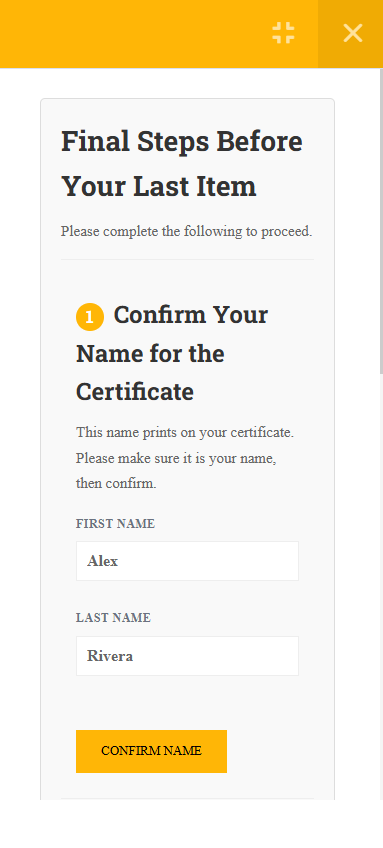
When you reach the last item, a panel called Final Steps Before Your Last Item appears. Work down it in order.
Confirm your name for the certificate
Your first and last name print on the certificate exactly as they appear here, so check the spelling before you tap CONFIRM NAME. If your board knows you by a middle initial or a married name, enter it the way the board has it.
Verify your email address
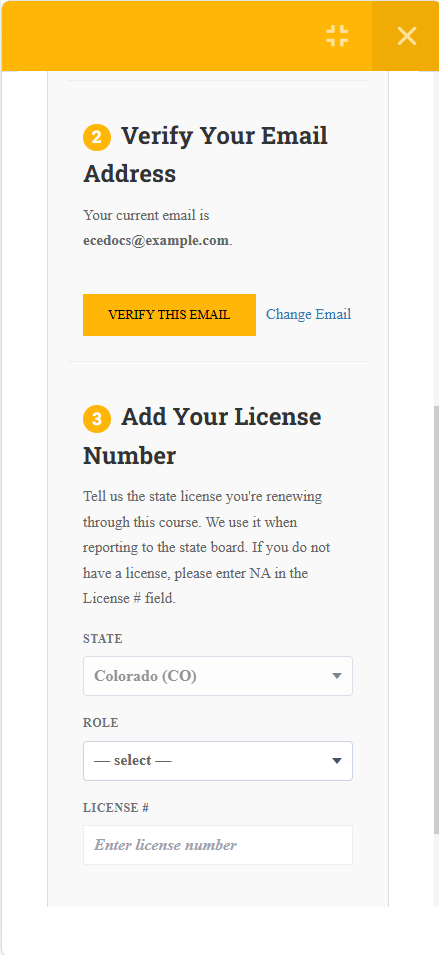
This is where your account emails go. Tap VERIFY THIS EMAIL if it is right, or Change Email if it is not.
Add your license number
Choose your state, choose the role that matches your license, type the number, then tap SAVE LICENSE.
If you do not hold a license yet, enter NA in the License # field. You can still finish the course.
Any time, from your profile
Nothing is locked in. You can add, correct or remove a license number at any time, whether or not you are partway through a course.
Open your profile
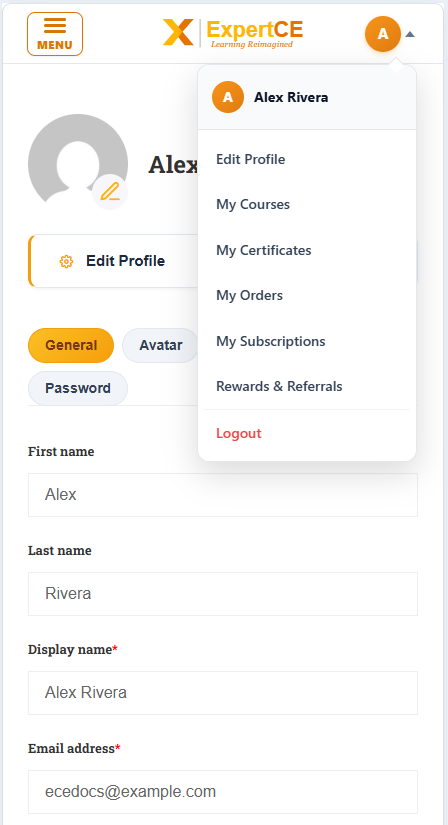
Tap the round avatar at the top right and the account menu opens. Edit Profile is the first item.
Scroll to License Number Information
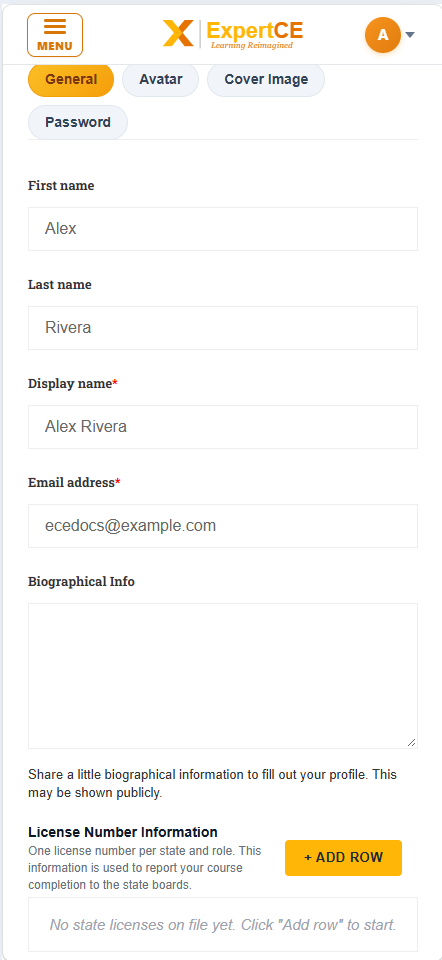
It sits on the General tab, below your biographical information. The fields stack on a phone, so it is a fair way down the same page. Each row holds one state, one role and one license number.
Add a row, or edit the one that is there
Tap + ADD ROW, pick the state and role, and type the number. To correct an existing one, type over it. Then tap SAVE CHANGES at the bottom of the page.
On a laptop or desktop
At the end of a course
When you reach the last item, a panel called Final Steps Before Your Last Item appears. Work down it in order.
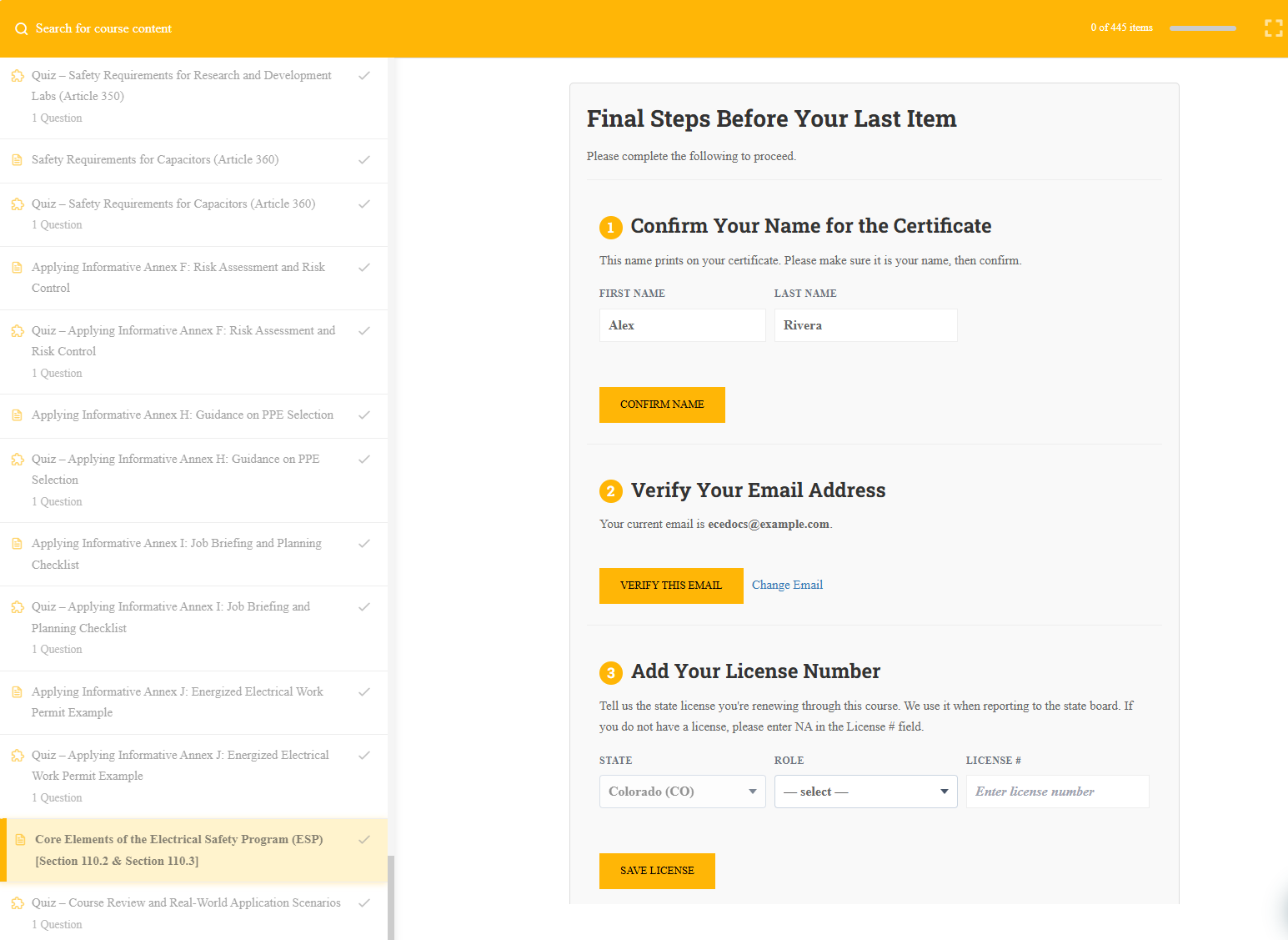
Confirm your name for the certificate
Your first and last name print on the certificate exactly as they appear here, so check the spelling before you click CONFIRM NAME. If your board knows you by a middle initial or a married name, enter it the way the board has it.
Verify your email address
This is where your account emails go. Click VERIFY THIS EMAIL if it is right, or Change Email if it is not.
Add your license number
Choose your state, choose the role that matches your license, type the number, then click SAVE LICENSE.
If you do not hold a license yet, enter NA in the License # field. You can still finish the course.
Any time, from your profile
Nothing is locked in. You can add, correct or remove a license number at any time, whether or not you are partway through a course.
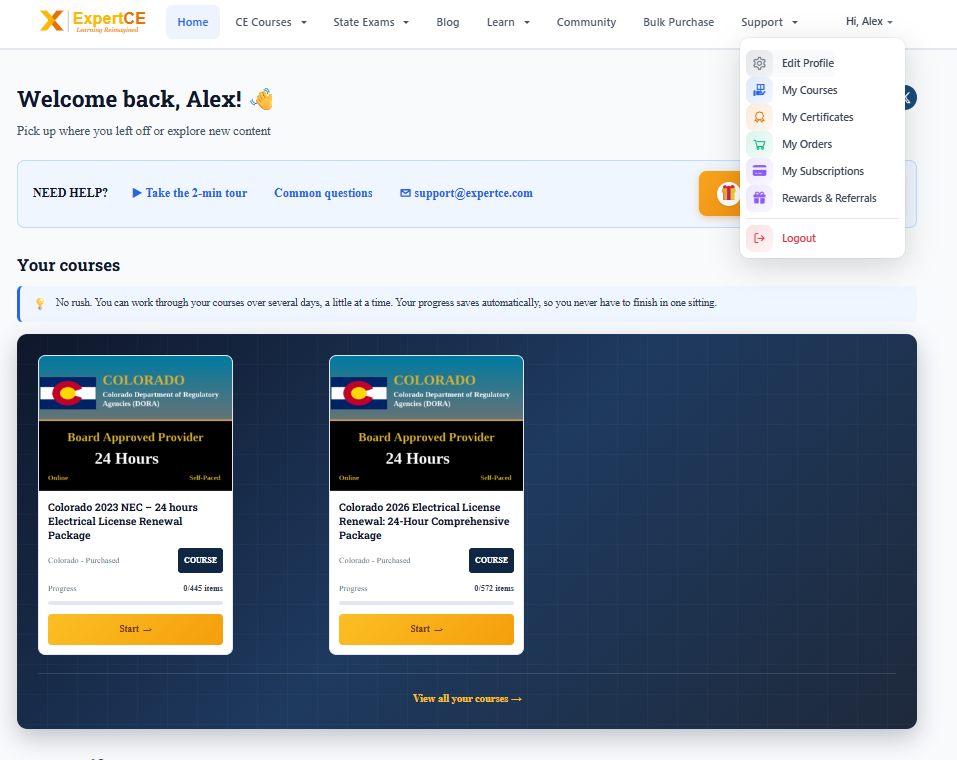
Open your profile
Click your name in the top right corner, then Edit Profile.
Scroll to License Number Information
It sits on the General tab, below your biographical information. Each row holds one state, one role and one license number.
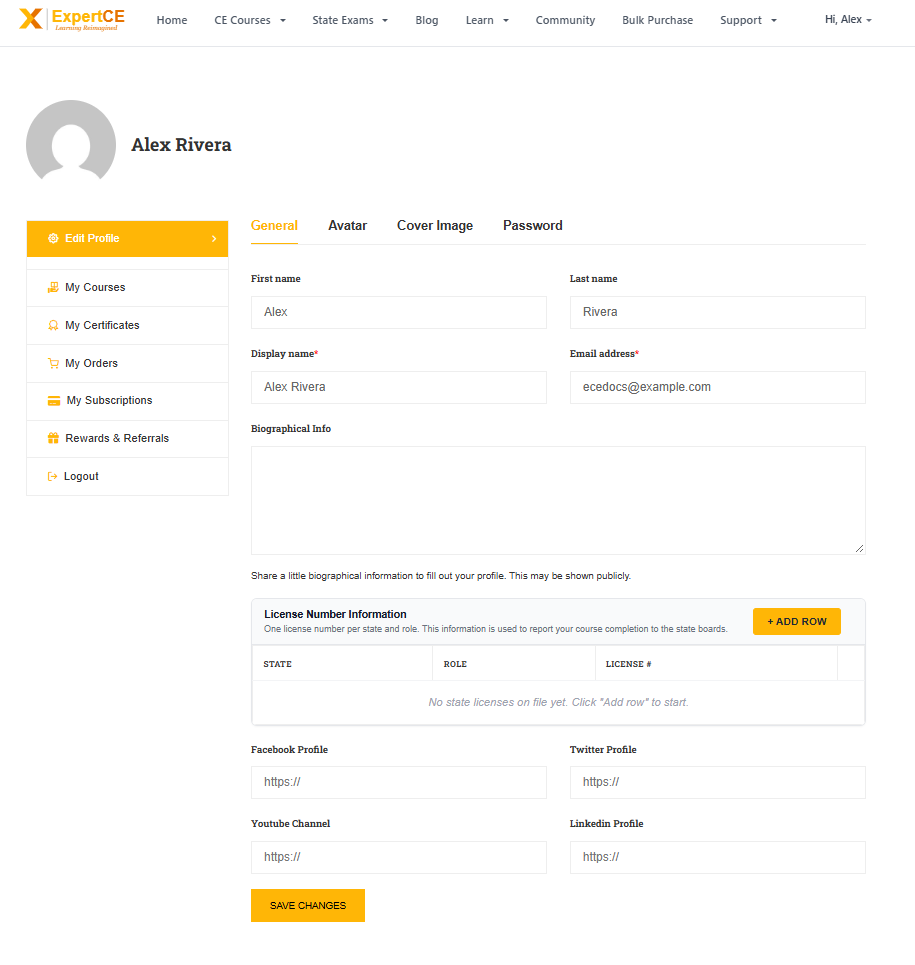
Add a row, or edit the one that is there
Click + ADD ROW, pick the state and role, and type the number. To correct an existing one, type over it. Then click SAVE CHANGES at the bottom of the page.
What the license number is used for
Two things, and both matter enough to be worth getting right.
It is what we quote when we report your completion to the state board (where applicable). The board matches the hours to you by that number, so a wrong one can mean the hours do not land against your license.
It is also printed on your certificate, alongside the name you confirmed. If an employer or a board asks you for proof later, the certificate shows the number the hours were filed under.
Typing it correctly
Enter the number as your board prints it, including any letters at the front. Most boards use a letter prefix for the license type, so a journeyman and a contractor number can share the same digits and differ only in that prefix.
If you are not certain, check your wallet card or your board’s public license lookup rather than guessing. A number that does not match the board’s records comes back to us as a rejected filing, and we have to come back to you for the right one.
If you are stuck
Email [email protected] and a person will answer. Tell us the state and the number you believe is right, and we will check it against what we hold.
Still stuck? Email [email protected] and a person will answer.
 Sign in with Google